Powerful tools designed to help you build healthier digital habits without feeling restricted
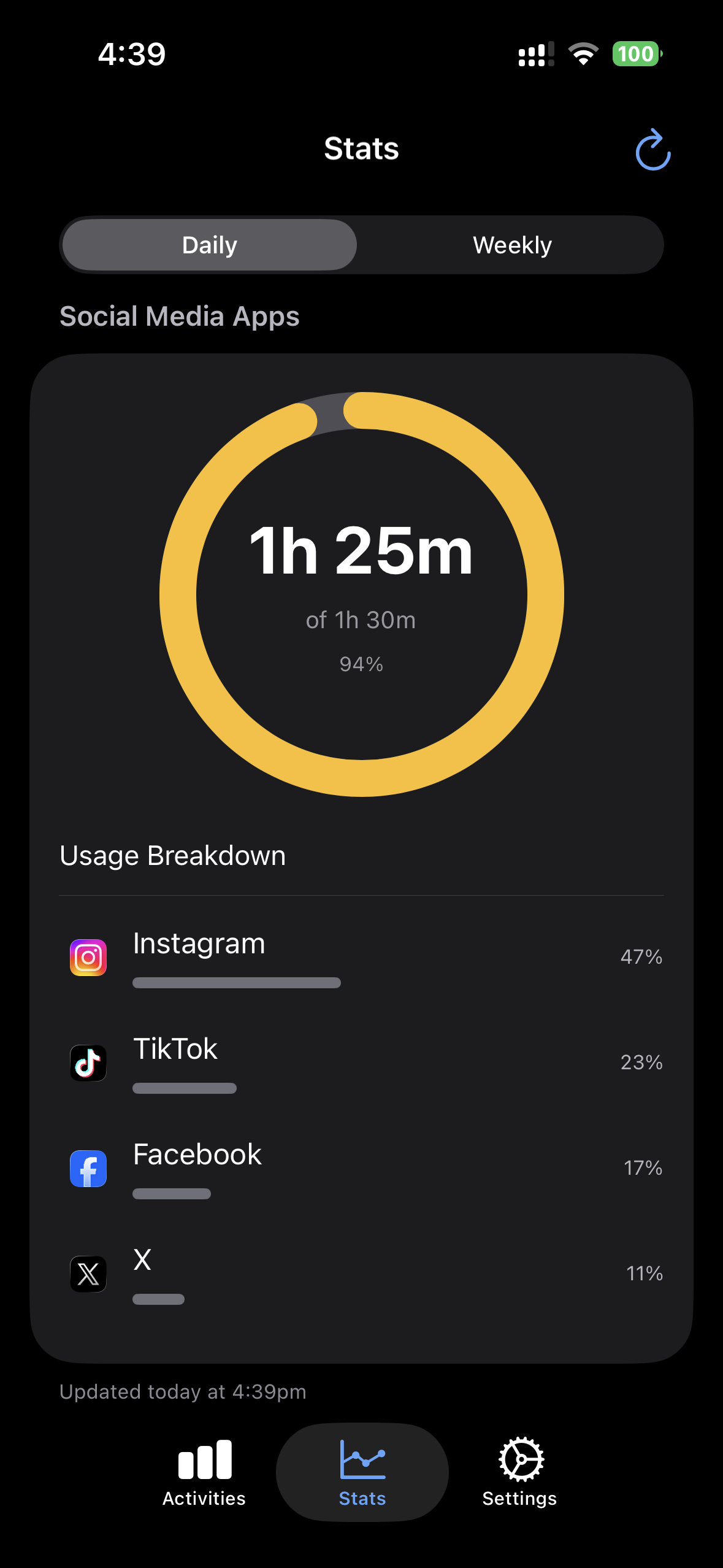
Monitor time spent on selected apps with beautiful stats and insights. See daily and weekly breakdowns to understand your habits.
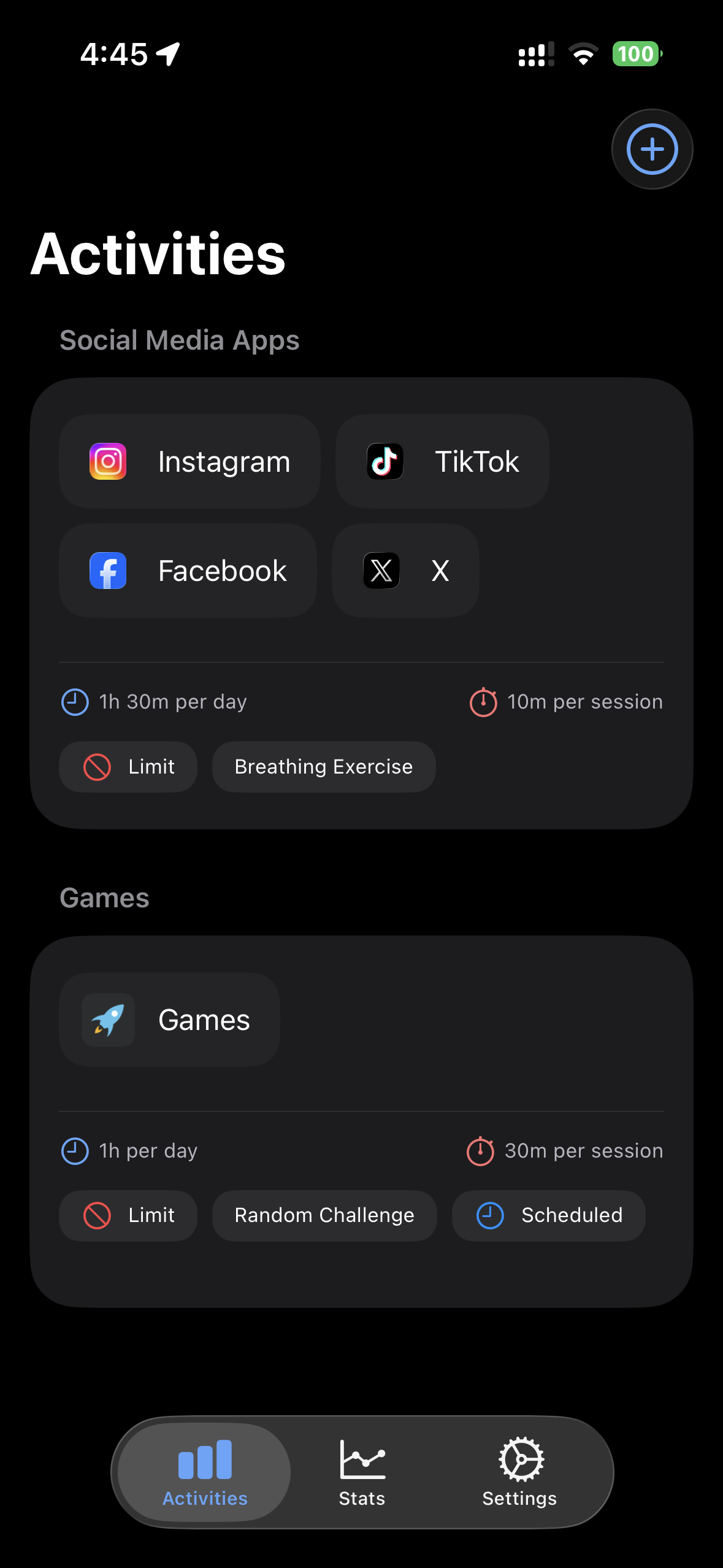
Set daily time limits and optional session controls. Choose how strict or flexible you want to be with your screen time.
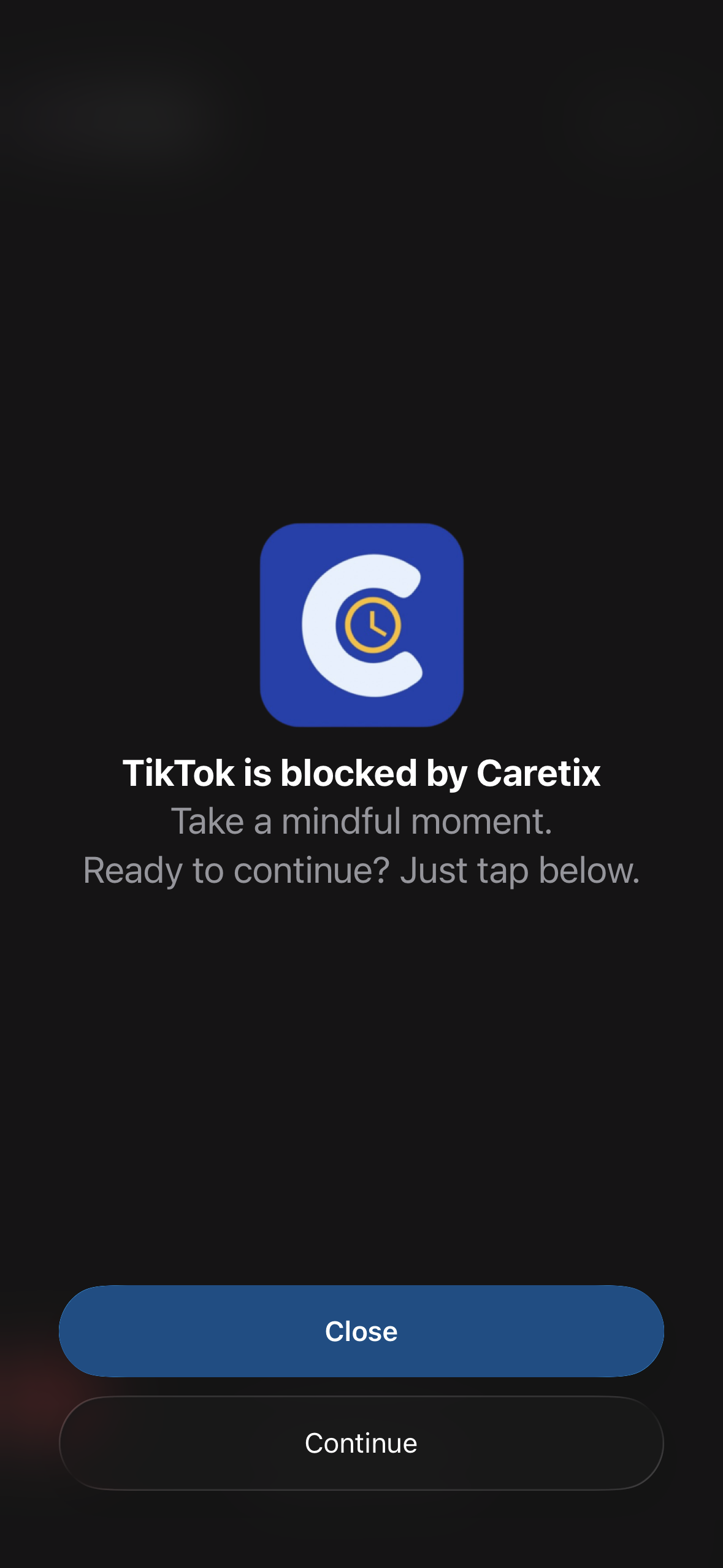
Choose between Monitor, Block, Challenge, or Reflection modes. Find the approach that works best for you.
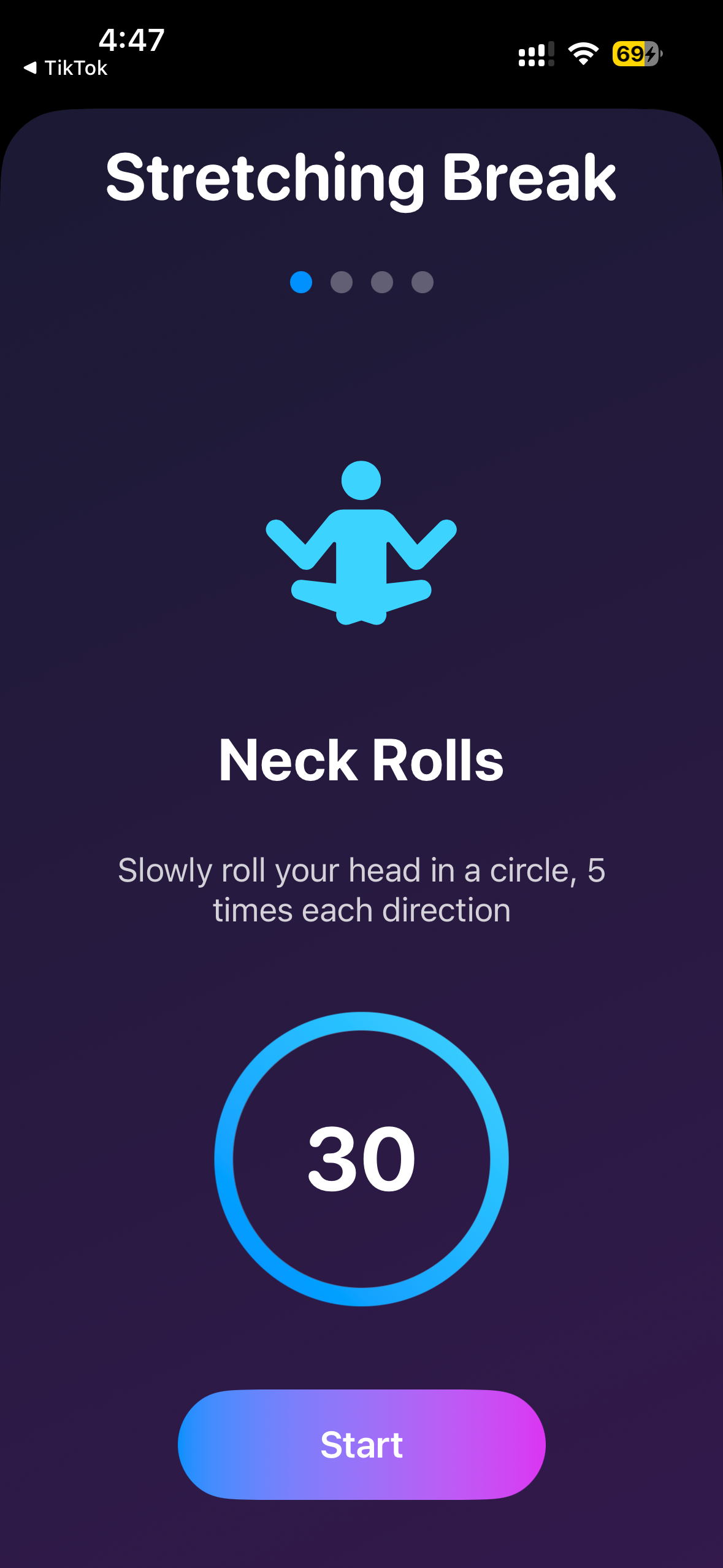
When you reach your limit, engage with breathing exercises, reflections, or other mindfulness activities.
View your progress with color-coded charts and clear statistics. Track improvement over time.
All data stays on your device. We don't collect, store, or share any of your information.
Beautiful design meets powerful functionality
Need help with Caretix? Find answers to common questions below.
Caretix helps you manage your screen time and build healthier digital habits. It lets you create activities to limit or monitor specific apps, start focus sessions, and track detailed usage stats—all while keeping your data secure and private.
When you first open Caretix, you'll be prompted to grant Screen Time permission. If you skipped this step, go to iOS Settings → Screen Time → Your Device → Content & Privacy Restrictions → App Limits and ensure Screen Time is enabled. Then return to Caretix and try creating an activity again.
Your name is used only to personalise messages and notifications inside the app. It is stored locally on your device and never shared externally.
An Activity is a collection of apps, categories, or websites grouped together for monitoring or limiting. For example, you can create a “Social Media” activity that includes Facebook, Instagram, and TikTok, and set daily limits or focus schedules for them.
Go to the Activities tab and tap the + button. Enter an activity name, select apps or websites using Apple’s Family Control picker, choose between “Monitor” or “Limit” mode, and configure your preferred schedule or time limits.
Monitor mode only tracks usage and sends soft reminders when you reach a certain duration. Limit mode enforces strict blocking rules once you reach your configured daily or session limit.
When a session limit is reached, you can choose an intervention before unlocking apps again — such as breathing exercises, solving a math problem, stretching, writing a reflection note, or completing a random challenge.
Focus Mode blocks selected apps or websites for a set duration, helping you stay focused. You can choose Pomodoro mode or set a custom timer. During focus, the timer also appears in Live Activities and Dynamic Island.
Once your daily limit is reached, the selected apps are blocked until midnight. You’ll see an overlay explaining that your daily limit has been reached.
When a session limit is reached, Caretix sends a notification prompting you to complete your chosen intervention before unlocking access again. Notification permission is required for this feature.
Open the Stats tab to view your daily and weekly app usage reports. Stats are automatically retrieved from Apple’s Screen Time Report extension. You can refresh data anytime using the reload button in the toolbar.
Go to the Settings tab and tap Name to change your name. The change updates instantly and stays on your device.
Caretix uses notifications to remind you about session limits, focus timers, and app usage. To enable notifications, go to iOS Settings → Notifications → Caretix and turn on Allow Notifications.
Go to iOS Settings → Screen Time → Content & Privacy Restrictions and ensure that Screen Time is turned on. Then return to Caretix and reopen your activities to re-sync permissions.
In the Settings tab, tap Prevent Uninstalling Caretix. This uses Apple’s system API to prevent removal of the app unless the restriction is lifted by you.
In Settings → Set PIN, you can create a 4-digit PIN to protect access to Caretix. Once enabled, you’ll be asked for the PIN whenever the app comes to the foreground. You can change or remove the PIN anytime from Settings.
After setting a PIN, you can enable Biometric Unlock under Settings → Face ID. This allows you to unlock Caretix quickly without typing your PIN each time.
Go to the Settings tab and tap Feedback to send your comments or suggestions directly to the developer. You can also reach out via support@caretix.app.
Effective Date: November 4, 2025
Developer: Jacob Ramilo | Location: Sydney, Australia
Caretix – Screen Time Control ("Caretix", "we", "our", or "us") is committed to protecting your privacy. This Privacy Policy explains how we collect, use, store and protect personal information when you use our iOS application ("App") and the choices available to you in accordance with the Privacy Act 1988 (Cth) and the Australian Privacy Principles (APPs).
Name: During onboarding the App asks for your name to personalise in-app messages. This information is stored locally on your device only and is not transmitted to our servers.
We integrate Qonversion to manage subscriptions. All payments are processed securely through Apple's App Store. We do not receive or store your payment card details. Qonversion may collect metadata such as subscription status and receipt identifiers to validate and manage subscriptions.
Caretix uses Apple's Screen Time API to read app, category and website usage. This Screen Time data is retrieved from Apple's framework and is processed and stored locally on your device. We do not upload or store your Screen Time data on external servers.
Users create Activities (collections of apps, categories and websites) using Apple's FamilySelectionPicker. You may configure modes:
Focus Mode is a timer-based blocking feature; configuration and timers are stored locally.
Daily and weekly statistics are generated locally from Apple's Screen Time Report extension. These statistics are computed on-device and are not uploaded or shared by Caretix.
The App requests permission to send notifications for reminders, limits, focus events and subscription notices. You can disable notifications via iOS Settings at any time.
Settings stored locally include name, PIN, biometric preferences, uninstall protection (Apple API), theme and other preferences. If you submit feedback using the in-app feedback form, that message (and optional contact info you include) will be transmitted to our support email for the purpose of responding to your enquiry.
Most personal data is stored locally on your device using Apple secure mechanisms including the Keychain and sandbox. Third-party services (Firebase, Qonversion) may process anonymised or minimal metadata on servers that may be located outside Australia.
We take reasonable steps to ensure those third parties provide protections substantially similar to the APPs. We do not maintain Caretix-owned servers that store personal data.
Because user data is stored locally, uninstalling the App will remove personal data stored by Caretix. Crash and analytics data sent to Firebase is retained according to Firebase/Google retention policies and is anonymised.
We do not sell or rent your personal information. We may share limited, anonymised or aggregated data with:
Some data processed by third parties may be transferred overseas (for example to the United States or Europe). Where transfers occur, we take reasonable steps to ensure overseas recipients comply with protections substantially similar to the APPs.
Under the Privacy Act 1988 (Cth), you may request access to or correction of personal information we hold (if any). Because personal information is primarily stored on your device, you may delete it by uninstalling the App. For other requests, contact us using the details below.
Caretix is intended for use by parents or adults managing device usage. We do not knowingly collect personal information from children under 13.
We may update this Policy occasionally. We will publish the updated Policy with a new effective date. Continued use of the App after updates constitutes acceptance of those changes.
Third-party services used in the App have their own policies:
If you have questions, requests or complaints about this Privacy Policy or our privacy practices, please contact:
Developer: Jacob Ramilo
Email: support@caretix.app
Location: Sydney, Australia
Effective Date: November 4, 2025
Welcome to Caretix – Screen Time Control ("Caretix", "we", "us", or "our"). These Terms of Use ("Terms") govern your use of the Caretix mobile application and related services (collectively, "the App"). By installing or using Caretix, you agree to these Terms. Please read them carefully before using the App.
By using Caretix, you agree to comply with these Terms and our Privacy Policy. If you do not agree with any part of these Terms, you must not use the App.
Caretix helps users manage screen time, focus, and digital wellbeing through features such as app blocking, focus timers, and device usage insights. The App is designed for personal and family use, providing tools to encourage healthier device habits.
You must be at least 13 years old to use Caretix. If you are under 18, you must have permission from a parent or legal guardian. By using the App, you represent that you meet these requirements.
You may need to create an account to use certain features. You are responsible for keeping your login credentials secure and for any activity that occurs under your account.
Caretix may request certain system permissions (e.g., access to app usage data, notifications, or accessibility settings) to function properly. These permissions are used solely to enforce screen time limits or blocking rules you configure. You are responsible for ensuring the App's restrictions are used appropriately and in compliance with applicable laws.
Caretix offers optional premium features that can be purchased via in-app subscriptions. Payment is processed through the App Store or Google Play, and is subject to their respective terms. Subscriptions automatically renew unless cancelled at least 24 hours before the end of the current billing period.
You agree not to:
Your use of the App is governed by our Privacy Policy, which describes how we handle your data. Caretix does not sell personal information and uses device data solely for functionality related to screen time tracking and focus management.
All content, design, and functionality within Caretix are owned by or licensed to us. You may not copy, reproduce, or distribute any part of the App without our written permission.
The App is provided "as is" and "as available." We do not guarantee that Caretix will be error-free, uninterrupted, or compatible with all devices or software versions.
To the extent permitted by Australian law, we are not liable for any indirect or consequential damages arising from your use of Caretix. Our total liability for any claim is limited to the amount you paid for the premium version (if applicable).
We may suspend or terminate your access to the App at any time if you breach these Terms. You may also discontinue use of the App at any time by uninstalling it.
These Terms are governed by the laws of the Commonwealth of Australia. You agree to submit to the exclusive jurisdiction of the courts in New South Wales, Australia.
We may update these Terms periodically. Updates take effect once posted in the App or on our official website. Continued use of the App after updates means you accept the revised Terms.
If you have any questions about these Terms or the App, please contact:
Email: support@caretix.app
Developer: Jacob Ramilo